Get alerts on your Android phone
Connect your Android phone in under a minute and get sale notifications even when your computer is off.
- On your computer: extension → Setup → 📱 Alerts on your phone → Connect my phone.
- On your phone, scan the QR code with the camera (or open soldelsewhere.com/app in Chrome and type the code).
- The app connects automatically. Tap Turn on alerts → Allow.
- A “Sold Elsewhere is connected ✅” notification confirms it works.
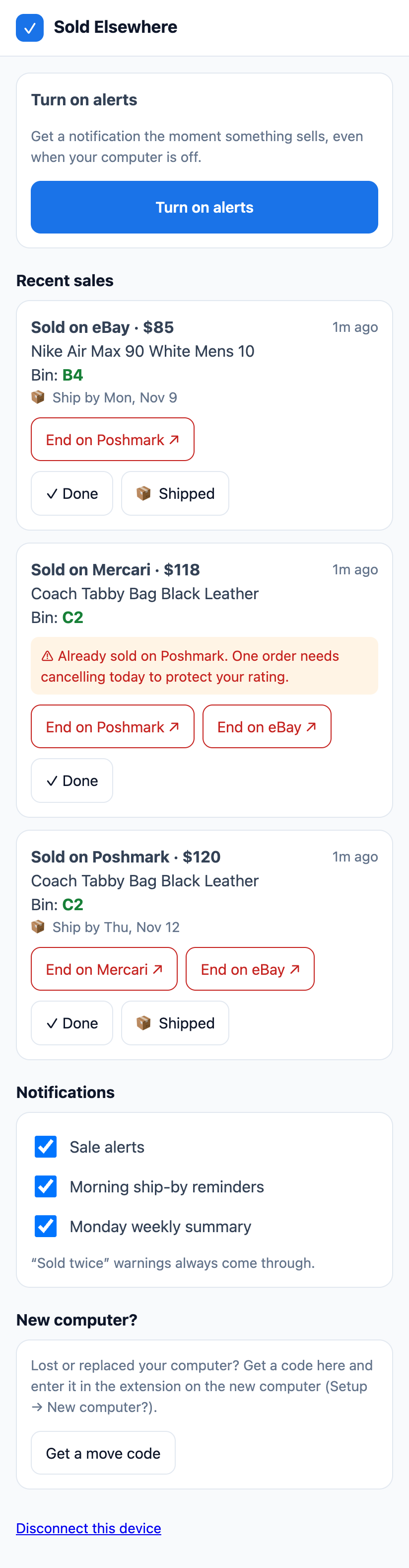
Recommended: install the app
In Chrome on Android, tap ⋮ → Add to Home screen (or Install app). It opens like a normal app and keeps working after Chrome clears old data.
Tips
- If notifications stop, check Settings → Apps → Chrome → Notifications and that battery saver isn’t restricting Chrome.
- Up to 10 devices per account. Remove old ones in the extension under Setup → Alerts on your phone.
Problems? See Notifications aren’t showing.
Still stuck? Email hello@soldelsewhere.com. A real person replies within 2 business days, in English or Spanish.