How Sold Elsewhere works (5-minute setup)
What the extension does, what you need, and the four steps to your first sale alert.
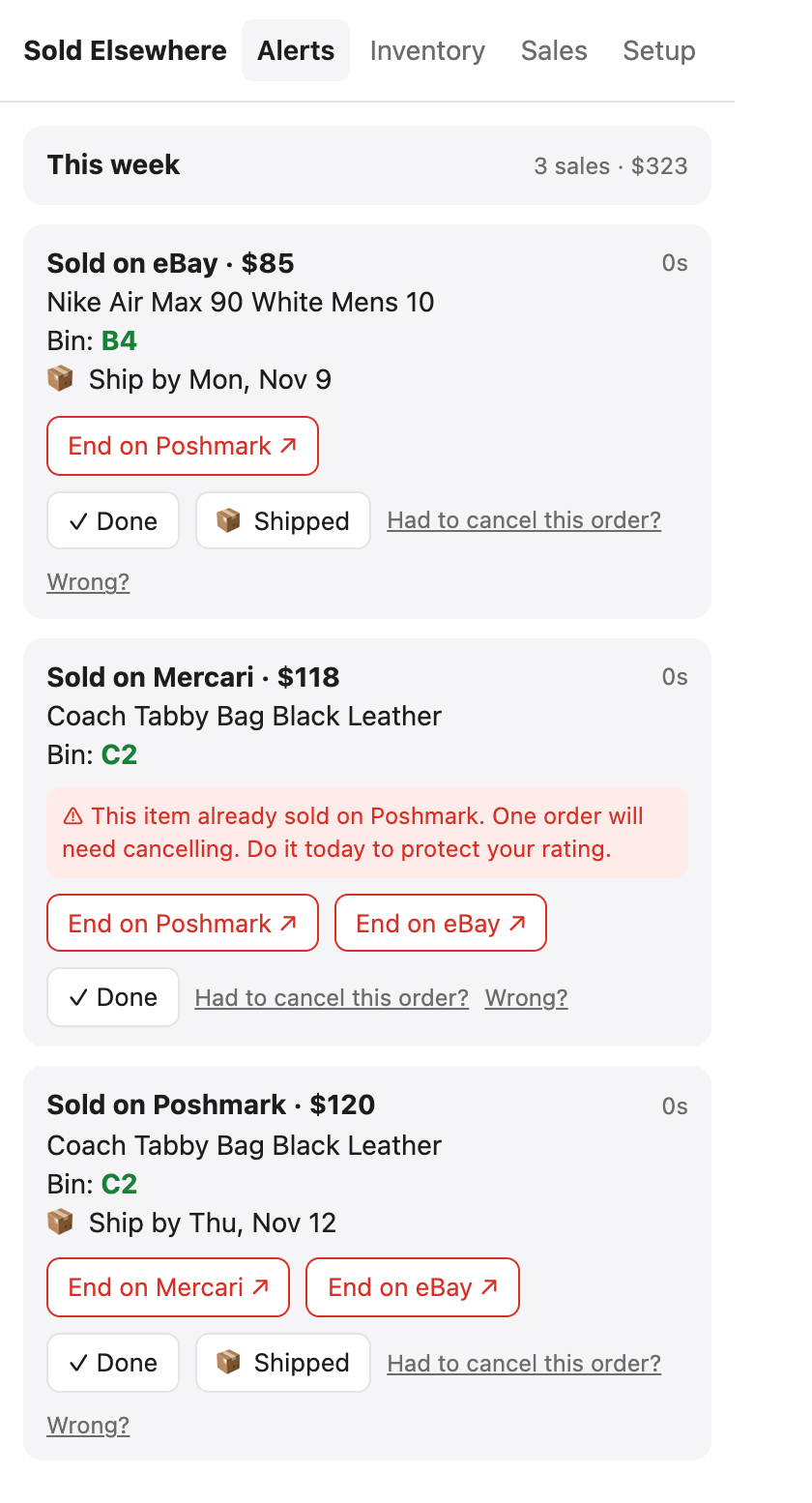
Sold Elsewhere stops the same item from selling twice when you list it on more than one marketplace. When something sells, you get an alert that shows what sold, which bin it’s in, and one-click links to end the other listings.
How it works
- Every marketplace emails you when you make a sale.
- You tell your email to forward only those sale emails to your private Sold Elsewhere address.
- We read the forwarded email, find the item in your inventory, and alert you in Chrome and on your phone.
- You click End on Poshmark ↗ (or eBay, Mercari…) and end the listing yourself.
We never log into your marketplace accounts and never change your listings. That’s why it can’t get your closet flagged for automation.
Setup checklist
| Step | Time | Guide |
|---|---|---|
| 1. Install the extension | 1 min | Install on Chrome, Edge or Firefox |
| 2. Forward sale emails | 2 min | Gmail · Outlook · iCloud · Yahoo/AOL · Other |
| 3. Add your inventory | 1–5 min | Import all your listings |
| 4. Get alerts on your phone (optional) | 2 min | iPhone · Android |
When you’re done, open the extension → Setup → Send a test alert to check everything works.
Make sure your marketplaces email you
Sold Elsewhere can only alert you about sales your marketplaces email you about. Check that sale notification emails are turned on in each marketplace’s notification settings (they usually are by default). Some marketplaces, like Facebook Marketplace, mostly notify inside their app instead of by email, so alerts from them may be limited.
Which marketplaces work?
eBay, Poshmark, Mercari, Depop, Etsy, Whatnot, Grailed, Vinted and Facebook Marketplace. If a marketplace sends a sale email we don’t recognise yet, it appears under Setup → Marketplace emails we didn’t recognise and we use it to improve recognition.